
An Email Worth a Second Look #
July 2, 2025. Rain hammered the windows. Lightning split the sky. And right on cue, an email arrived.
"Hey Kenton, is this email legit..?"
I'm not officially IT, I'm a developer who works with schools, but I help out when weird things land in inboxes. Normally, this kind of thing would go to the school's internal IT staff, but (as we'll get to later) they were out of office.
Just another day in a school environment where HR requests, encrypted PDFs, and cross-district emails are routine… and inboxes are far too trusted (though, not trusted in this case :D!).
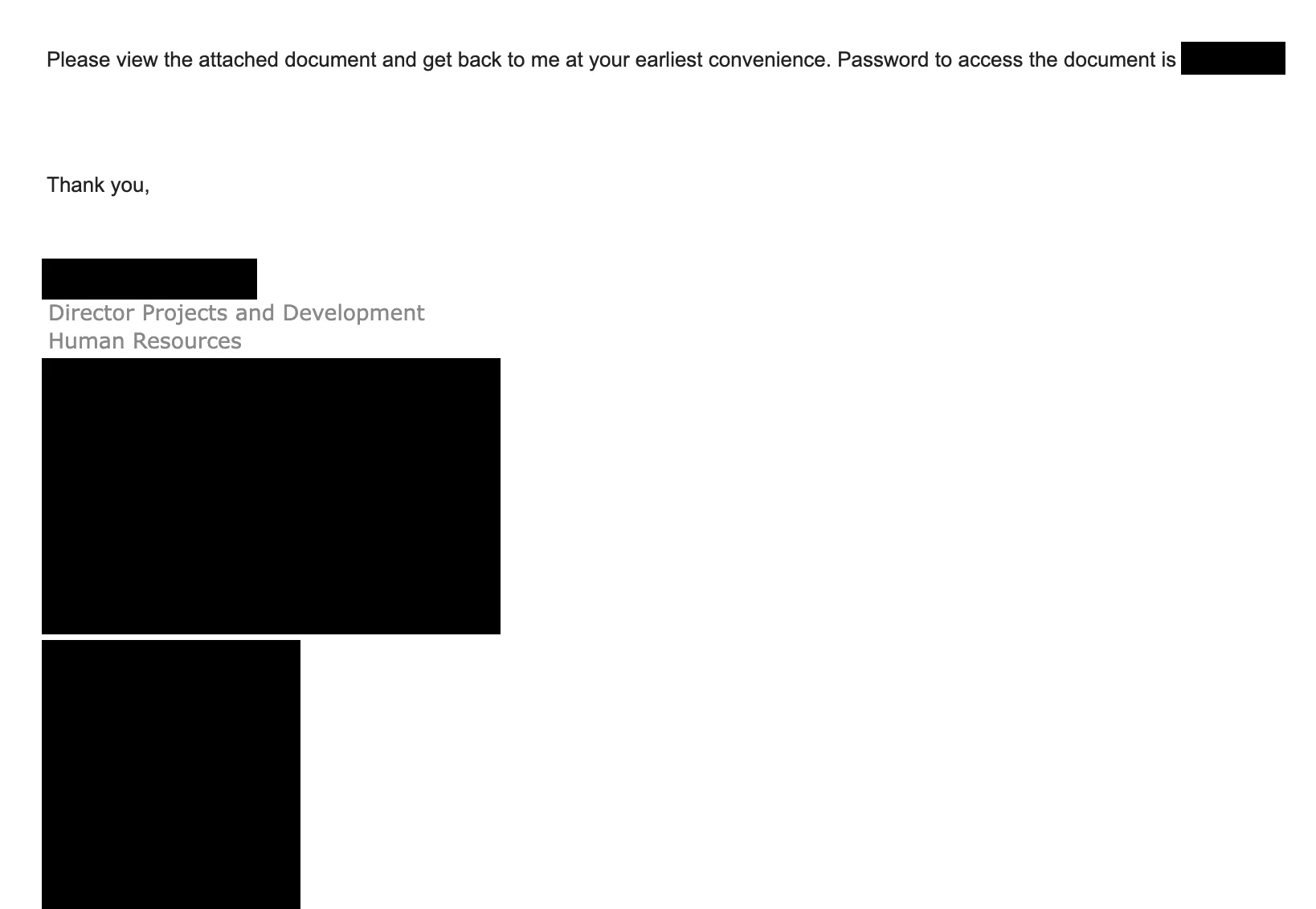
Initial phishing email
Nothing overtly wrong at first glance. The headers all validated. The email address matched the school's domain. The signature looked real. And even the password aligned with the school acronym.
But something felt off.
Why would the Director of HR be contacting us..? I mean, maybe it could happen, maybe this email was meant for someone else in the organization.
Let's investigate.
Investigating a Suspicious PDF #
Let's throw this into a VM and boot up the tools..
As an initial crude check, I ran strings on the PDF file. This revealed nothing fun; it is encrypted, after all.
Well, I sure as heck am not going to open it, yet. But, let's decrypt it over the CLI using qpdf:
1$ qpdf --password='[ redacted ]' --decrypt '[redacted].pdf' decrypted.pdf
First, let's check the metadata:
1Title: Protected Message
2Author: admins
3Subject:
4PDF Producer: Microsoft® Word for Microsoft 365; modified using iText® 7.1.8 ©2000-2019 iText Group NV (AGPL-version)
5Content creator: Microsoft® Word for Microsoft 365
6Creation date: D:20250701205501+00'00'
7Modification date: D:20250701205620+00'00'
8Viewer Prefs: DisplayDocTitle = true
Nothing alarming in the metadata, just standard Microsoft tooling and an iText edit timestamped right after creation.
So, what about the contents? Let's render the first page and see what we're dealing with:
1$ pdftoppm decrypted.pdf output -png
Yeah, this is definitely looking.. suspicious!
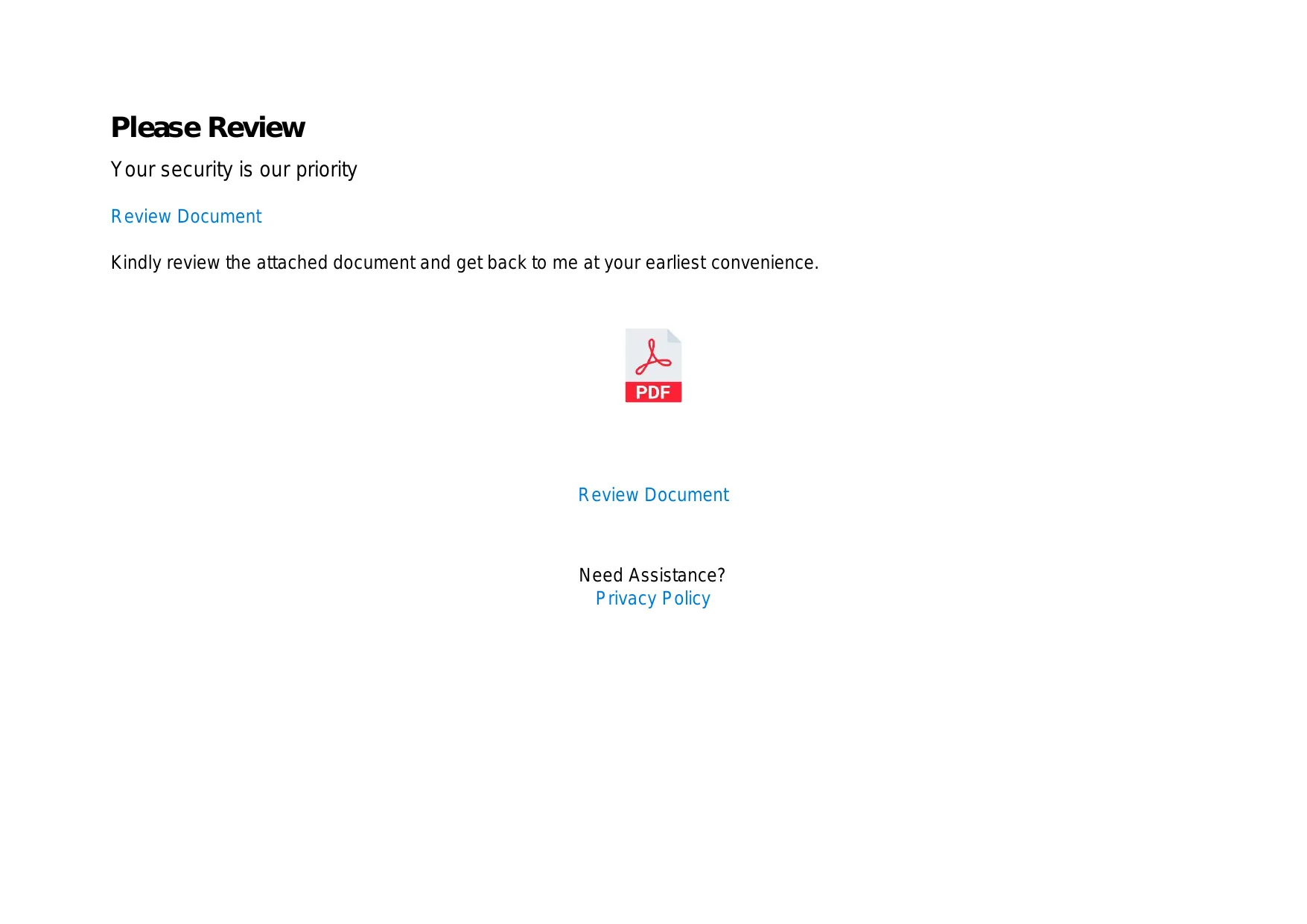
Screenshot of PDF asking us to click a link.
"Your security is our priority."
Sure. HAHA.
But, where does that link go..?
For this, we will use pdfcpu to extract the links from the PDF:
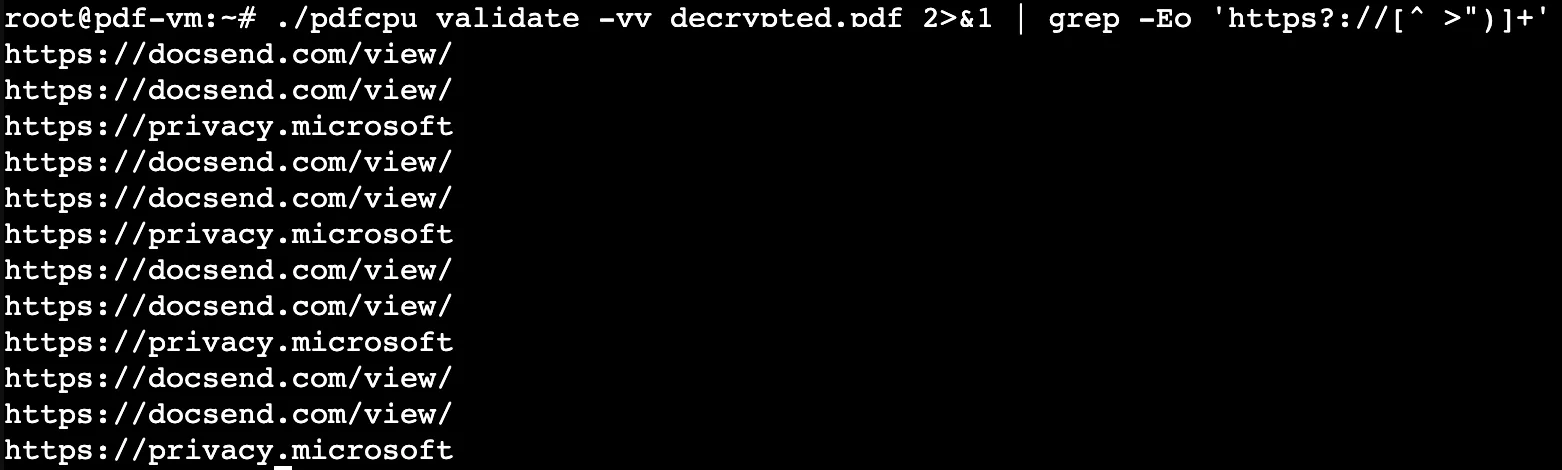
1$ ./pdfcpu validate -vv decrypted.pdf 2>&1 | grep -Eo 'https?://[^ >")]+'
2https://docsend.com/view/[REDACTED]
3https://docsend.com/view/[REDACTED]
For now, we will boot up ANY.RUN and examine the URL:
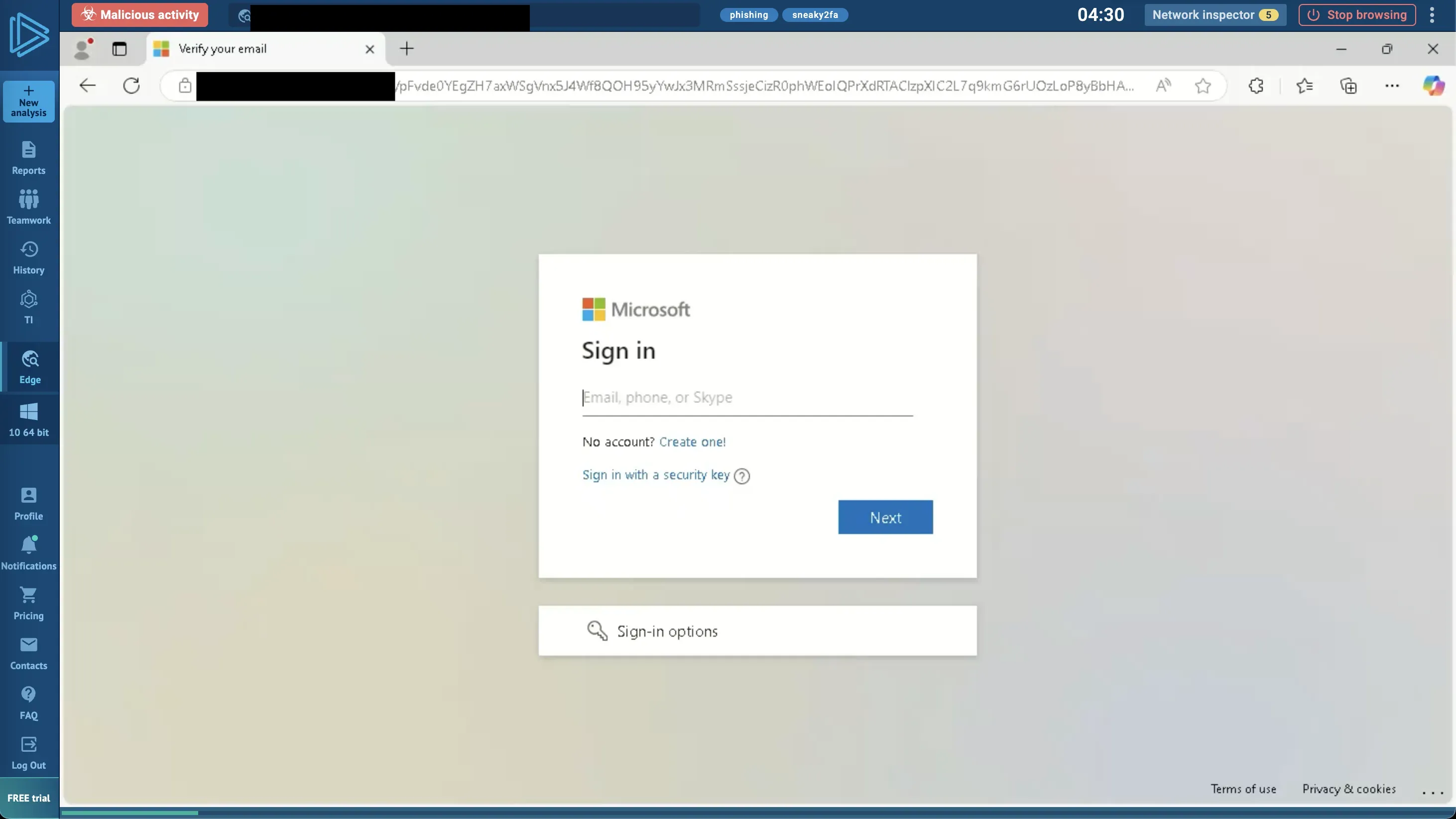
Screenshot of ANY.RUN; it is a phishing page.
Yup. Microsoft phishing page.
End of story, right? Well...
The Real Story #
This wasn't the first time.
Back in December 2024, we saw a similar, though less polished, phishing attempt. That one came from a school registrar, sent to another registrar at a school we support. It included a link to Docsend, a service now popping up again.
Note: DocSend is commonly abused in phishing campaigns, but the combination with school-specific targeting creates a concerning pattern.
In that case, the attack vector was a compromised email account. Clicking the link and filling out the phish would cause it to resend itself to everyone in the victim's address book. Classic worm-style behavior.
After that incident, our IT team put a block in place: no more Docsend links allowed into inboxes.
But, as always, attack techniques evolve - whether through the same actors or others learning from successful campaigns.
This time, the Docsend link wasn't in the body of the email. It was buried inside an encrypted PDF, making it much harder for automated systems to catch.
You might ask:
"Aren't encrypted PDFs suspicious by default?"
In most industries, probably. But in education, they're surprisingly common: used for sending student records, transcripts, or other sensitive documents.
Which means this attack was either:
- A deliberate pivot to target schools directly
- Or a lucky blast that just happened to land in the right inbox
Either way, we're seeing tactical adjustments. The techniques are evolving
So, What's Different This Time? #
Compared to the December 2024 wave, this one was far more calculated.
- The phishing emails included school-specific context in the decryption key.
- The PDF was encrypted, evading basic email scanners.
- The timing was... suspicious.
Why Now? #
This week marks a major education conference with school IT directors, IT staff, and other school staff all "out of office" (though, like many conferences, still keeping up with work they can do remotely).
And right when the defenses are down, a new phishing wave hits.
Coincidence?
Maybe. But it sure feels like the attacker knew IT staff wouldn't be around to respond quickly. And more than that, they likely knew:
- Most staff would be checking email on their phones, where critical context is stripped: no full headers, shortened previews, and obscured URLs.
- The email came from a "trusted" role, with just enough school-specific detail to possibly bypass gut instinct.
Final Thoughts #
Phishing isn't new, but this level of timing, context, and evasive delivery marks a shift.
Encrypted PDFs are normal in schools. That's what makes this attack so dangerous: it blends in.
This wasn't just a generic phish. Whether it's the same threat actors or copycat attackers, we're seeing an evolution in school-targeted campaigns:
- It uses common school workflows (registrar to registrar communications, encrypted PDFs)
- It impersonated familiar roles (HR, registrars)
- And it landed when defenses were weakest (during a major education conference)
The December attack might've been opportunistic. But this July campaign suggests threat actors have recognized how valuable school networks are as footholds... and they're specializing.
Whether coordinated by the same actors or inspired by earlier successes, schools are clearly becoming a specialized target for sophisticated phishing campaigns.
Check your email filters. Review your endpoint alerting. And most importantly: assume the attackers are watching your calendar, too.
Tagged with
#Cybersecurity